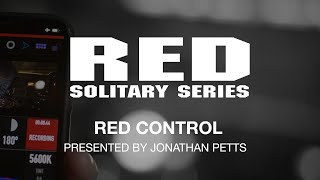
RED Solitary Series | RED Control
Channel: RED Digital Cinema
Category: Film & Animation
Tags: shot on red4k movier3dred userhelium8k red camerafilmmakingcinematographerfilmmakercinematographyredgeminired cinema club4k video8k6k5k4kdsmc2#4kred camera systemsmonstro
Description: RED Control is a free app for your KOMODO that allows complete control over almost every aspect of your camera. Not only does it allow for control over settings and the lens (with compatible electronic lenses) but also monitor & playback the video feed directly from the camera giving you new ways to make sure you’re getting the shot. The app offers users a unique customizable interface and the ability to live stream from the camera, navigate the entire menu, and offers both portrait and landscape modes with a full-screen option. In this episode, we dive deep into RED Control to look at the powerful functionality and answer any questions. iOS Download: apps.apple.com/us/app/red-control/id1514864599 Android Download: play.google.com/store/apps/details?id=red.com.redcontrol Note: RED Control App is compatible with KOMODO 6K and KOMODO™ ST only. Not available for use with DSMC2 or previous generation RED cameras. 0:00 Starting Soon Loop 12:13 Intro 15:32 Downloading/ RCP1 vs RCP2 17:04 Basic Functions 22:09 Custom Pages 28:53 Image Overlay Tab 33:05 Audio Tab 34:24 Lens Control Tab 38:21 Menu Tab 38:57 Android Comparison 40:03 KOMODO Link 46:15 Q&A 51:33 Outro SHOP KOMODO red.com/komodo EMAIL questions to solitaryseries @ red.com SUBSCRIBE to RED Digital Cinema’s YouTube youtube.com/user/shotonred?sub_confirmation=1 Connect with RED Digital Cinema online: Visit the RED Digital Cinema WEBSITE: red.com Follow RED Digital Cinema on TWITTER: twitter.com/red_cinema Follow RED Digital Cinema on INSTAGRAM: instagram.com/reddigitalcinema Follow RED Digital Cinema on FACEBOOK: facebook.com/reddigitalcinema Follow RED Digital Cinema on LINKEDIN: linkedin.com/company/reddigitalcinema